


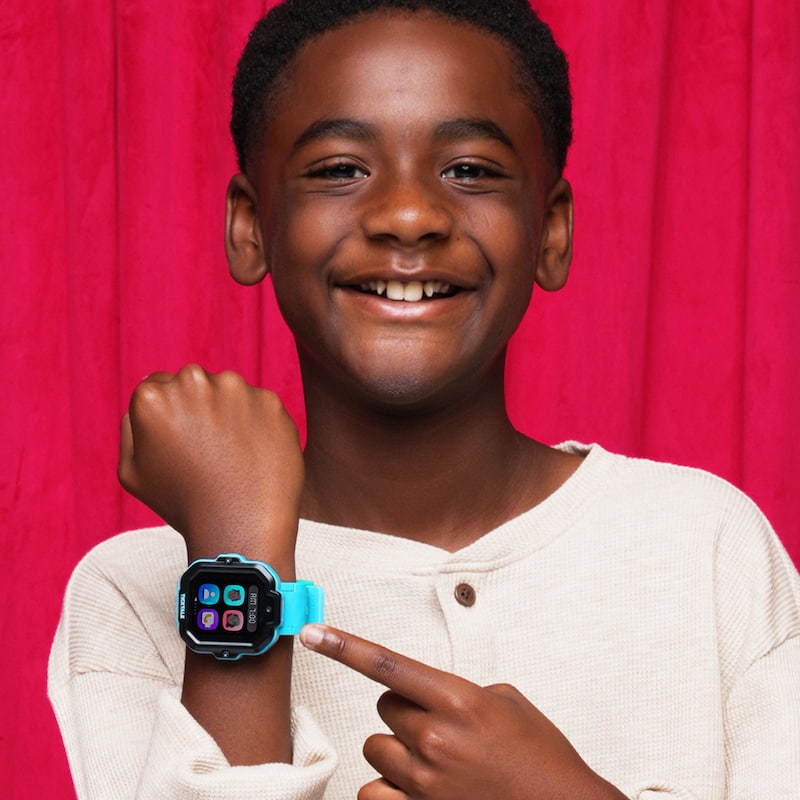
The Remote Answer feature on the TickTalk 5 is a silent call-back tool designed for emergency situations. It allows parents to listen to their child's surroundings when they aren't answering their watch. This essential parental monitoring smartwatch feature provides peace of mind by ensuring your child is safe even when they cannot physically take a call.
Understanding Remote Answer: A Silent Safety Net for Modern Families
As a parent, few things are as stressful as a missed call. We have all experienced that sudden spike in heart rate when our child doesn’t answer their phone or watch. Whether they are at a loud birthday party, walking home from the bus stop, or playing at a friend's house, a missed connection can lead to instant worry. This is where the remote answer feature becomes a vital tool in a modern parent's safety kit.
Often referred to as a "silent call-back" or "listen-in" feature, Remote Answer allows the parent to prompt the watch to call them back automatically. Unlike a standard phone call, the watch does not ring or vibrate on the child's end, and the watch's speaker remains muted. This allows you to hear the immediate environment to ensure your child is in a safe situation without causing a distraction or alarming them unnecessarily.
In 2026, safety technology like this is no longer just about tracking a "dot" on a map. It is about having a multi-layered approach to communication that ensures you are never truly out of touch. The remote answer smartwatch feature serves as the ultimate "fail-safe" when traditional calling fails.
How the Remote Answer Feature Works on the TickTalk 5
Understanding how remote answer works on kids smartwatches is key to using it effectively. On high-end devices like the TickTalk 5, the process is designed to be secure, deliberate, and discreet. It isn't a "live stream" that is always on; it is an active request made through a secure, encrypted parental app.
The Technical Process Made Simple
The functionality relies on the watch’s independent 4G LTE connection and high-sensitivity microphone. Here is the typical sequence:
-
The Initiation: The parent opens the TickTalk Parental Control App on their smartphone and selects the "Remote Answer" icon.
-
The Encrypted Command: The app sends a secure command to the watch over the cellular network.
-
The Silent Callback: Within approximately 60 seconds, the watch initiates a silent outgoing call to the parent's phone.
-
The Connection: The watch "answers" the call automatically. The screen remains dark, the speaker is muted, and there is no indication on the watch face that a call is active. The parent can then hear the background noise and voices around the child.
This feature is supported by the TickTalk 5’s robust 770mAh battery, which is designed to handle the power demands of cellular communication throughout the school day. Additionally, the SignalBooster antenna technology—integrated directly into the watch strap—ensures that the Remote Answer command can reach the watch even if the child is inside a concrete building or in a low-signal area.
Why Remote Answer is a Vital Kids GPS Smartwatch Safety Feature
While kids GPS smartwatch safety features like location tracking are standard, Remote Answer offers a unique layer of "auditory awareness" that a map simply cannot provide.
Beyond the Map: Audio vs. Visual Tracking
GPS can tell you that your child is at the park, but it cannot tell you if they are laughing with friends or if they are in distress. In 2026, the highest rated kids smartwatches combine visual tracking with auditory tools for a 360-degree view of safety.
-
Complementing AI SmartPin: On the TickTalk 5, location accuracy is managed by AI SmartPin technology. This system learns the Wi-Fi and cellular signals of your child’s frequent spots to provide 10% more accuracy than older models.
-
The Reality Check: If the AI SmartPin shows your child is "drifting" near a busy street, the Remote Answer feature allows you to listen and confirm if they are actually on the sidewalk or safely inside a nearby building. It acts as the "reality check" for the data you see on your screen.
Balancing Parental Monitoring with Child Privacy and Trust
One of the most common questions regarding the remote answer feature is: "Is this a violation of my child's privacy?" Leading brands like TickTalk take privacy extremely seriously, ensuring that these tools are used for safety rather than intrusive surveillance.
Security and Ethical Guardrails
-
Full Access Restricted: On the TickTalk 5, the Remote Answer feature is strictly restricted. Only "Full Access Users" (typically parents or legal guardians) can initiate the command. Limited access users, like family friends or siblings, do not have this permission.
-
COPPA Compliance: These features are designed to meet FTC-approved Children's Online Privacy Protection Act (COPPA) standards. This ensures that the data is encrypted and used only for parental safety purposes, never for third-party tracking.
-
Building Trust: Experts recommend discussing this feature with older children. Explaining that it is an "emergency-only" tool helps build a relationship based on protection rather than "spying." When children understand that the tool exists to keep them safe if they can't answer, it often reduces the "big brother" feel.
"I only use Remote Answer if my son misses multiple calls in a row while walking home. It’s my 'glass break' emergency tool, and it gives me incredible peace of mind when we’re in crowded places." — Parent Review, 2025.
Standard Calling vs. Remote Answer Feature: What’s the Difference?
Many parents wonder why they need a specific remote answer smartwatch feature when they can just call their child. The reality is that standard calling isn't always viable in a high-stress or noisy environment.
| Feature | Standard Calling | Remote Answer Feature |
|---|---|---|
| User Interaction | Child must manually tap to answer | Watch initiates and answers automatically |
| Visibility | Watch rings, vibrates, and lights up | Watch remains dark and silent |
| Audio Path | Two-way (Both can talk) | One-way (Parent listens only) |
| Best For | Daily check-ins and reminders | Emergencies and "No Answer" situations |
| Privacy Mode | High (Child is fully aware) | Controlled (Emergency-use only) |
Real-World Scenarios Where Remote Answer Provides Peace of Mind
To understand the true value of a parental monitoring smartwatch, consider these everyday situations where the remote answer feature provides the necessary answers.
1. The "Noisy Playground" Scenario
Your child is playing at a local park, and their watch is buried under a jacket sleeve. You call three times, but they don't hear the ring over the noise of other children. You trigger a Remote Answer and hear the sounds of children laughing and the familiar voice of the playground supervisor. You instantly know they are simply busy and safe, allowing you to relax without rushing to the park.
2. The "Walking Home" Delay
Your child is walking home from the bus stop, and you see on the AI SmartPin map that they have stopped moving for five minutes. You trigger a Remote Answer and hear them chatting with a neighbor about a new puppy. You realize there is no danger—just a friendly delay—and you can wait for them to arrive without unnecessary panic.
3. The Suspicious Silence
In a more serious scenario, if your child is in an environment where they cannot safely answer a call, Remote Answer allows you to hear the context of the situation. Whether it is a stranger approaching or a medical emergency, the ability to hear what is happening in real-time is an unparalleled advantage for emergency response.
FAQ: Frequently Asked Questions About the Remote Answer Feature
Q: Does Remote Answer work if the watch is turned off?
A: No. Like all kids GPS smartwatch safety features, the device must be powered on and connected to a 4G LTE or Wi-Fi network to receive the command.
Q: Will my child know I am listening?
A: The remote answer feature is designed to be silent and discreet. The watch screen will not change, and the speaker remains muted to ensure the child is not distracted or alerted.
Q: Can I use Remote Answer if I'm on a different phone carrier?
A: Yes. As long as you have the TickTalk Parental Control App installed on your smartphone (iOS or Android), you can initiate the command regardless of your own phone’s carrier.
Q: Does TickTalk 5 have geofencing?
A: No. TickTalk 5 focuses on AI SmartPin and History Route queries for more accurate, real-time awareness without the false alarms common with traditional geofencing.
Q: Is the audio quality clear?
A: Thanks to the high-quality microphone in the TickTalk 5, the audio is typically clear enough to identify voices and background noises within a several-foot radius of the watch.
Conclusion
The remote answer feature is one of the most powerful tools available to the modern parent. It isn't about constant surveillance; it's about having a fail-safe connection to your child in an unpredictable world. By combining this silent call-back technology with the TickTalk 5’s precision GPS and HD communication, you can give your child the freedom to explore while ensuring you are never truly out of reach.
When used responsibly as part of a comprehensive parental monitoring smartwatch strategy, Remote Answer provides the ultimate safety net for your family’s digital life.
Share:
TickTalk 5: Free Streaming Music
How to Connect a Kids Smartwatch to Your Phone: Step-by-Step Guide