

Quick answer
A kids smartwatch should comfortably last a full school day on a single charge, and the better ones last one to two days of typical use, with multiple days of standby when the watch is mostly idle. Real-world battery life depends heavily on how often the watch checks GPS, how much your child calls or video chats, and how strong the cellular signal is.
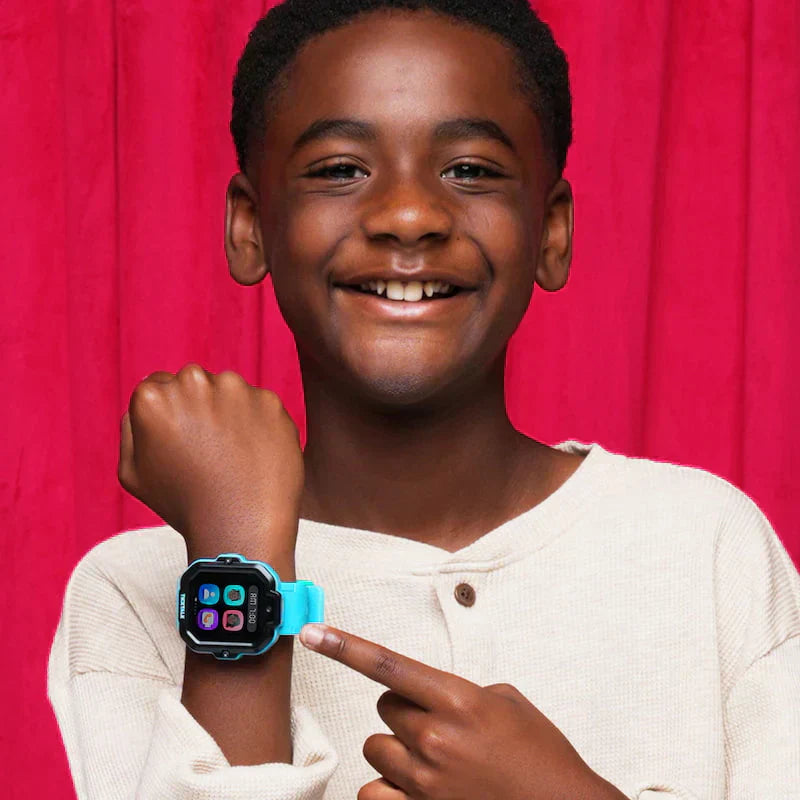
For reference, TickTalk 5 is rated for up to 48 hours of typical use and 100+ hours of standby, and was named SafeWise's Best Battery Life Winner in the 2026 Kids Safety Awards.
Why battery life is the question parents actually care about
A kids smartwatch only does its job when it's powered on. The GPS tracking, the SOS button, the ability to call your child on the walk home — all of it depends on the watch having charge when you need it. That's why "How long does the battery last?" is one of the first questions most parents ask, and it's the right question to ask.
The tricky part is that battery numbers can be confusing. Manufacturers often quote two very different figures, and parents are sometimes surprised when real-world life doesn't match the headline number. This guide explains what's realistic, what actually drains the battery, and how to get the most out of a charge — written for parents first, not for spec sheets.
What's realistic: a full day at minimum
Here's a simple way to set expectations for any kids smartwatch:
- A full school day (8+ hours) is the floor. If a watch can't reliably make it from morning drop-off to after-school pickup, it isn't doing its job. This is the bare minimum to look for.
- One to two days of typical use is good. "Typical use" means a realistic mix of GPS tracking, a few calls or messages, some screen time, and steps tracking throughout the day. A watch that lasts a day or two between charges fits comfortably into a family routine.
- Several days of standby is normal. Standby describes a watch that's powered on but mostly idle — few calls, infrequent location checks, screen off. Standby figures are always much higher than typical-use figures, which is why you'll often see two numbers quoted.
If a watch advertises a single very large number, it's worth asking whether that's standby or typical use. The two can differ by a wide margin.
What actually drains a kids smartwatch battery
Battery life isn't a fixed number — it changes day to day based on how the watch is used. The biggest factors:
GPS and location tracking. Continuous, high-frequency location updates are the single largest drain on most kids smartwatches. Every time the watch checks its position using satellites, that uses power. This is why many watches let you choose how often location updates — more frequent updates mean fresher tracking but shorter battery life.
Calls and video calls. Voice calls use a moderate amount of power; video calling uses considerably more because it runs the screen, camera, and a heavier data connection all at once. A child who video-chats often will see the battery drop faster.
Cellular signal strength. This one surprises parents. When a watch is in a weak-signal area, it works harder — and uses more power — trying to stay connected. A watch that spends the day in a building with poor reception can drain faster than the same watch outdoors with a strong signal.
Screen time and features. The display, music streaming, camera, and games all draw power. Frequent screen-on time adds up over a day.
Temperature. Like all lithium batteries, kids smartwatch batteries perform best at moderate temperatures. Very cold or very hot conditions can temporarily reduce how long a charge lasts.
Because all of these vary, the same watch can last a day and a half for one family and most of a day for another. That's normal, and it's why "typical use" is an estimate rather than a guarantee.
How to make a kids smartwatch battery last longer
You don't have to accept the battery life out of the box. A few habits make a real difference:
- Charge it into a routine. The easiest approach is a consistent daily or every-other-day charge — for example, on the nightstand overnight or during dinner. A predictable habit beats waiting for a low-battery warning.
- Use a power-saving or scheduled location mode if the watch offers one. Reducing how often the watch checks its location can meaningfully extend battery life. Many watches let you dial location update frequency up or down depending on your needs that day.
- Consider School Mode or Focus Mode during class. Modes that limit features during school hours reduce screen time and distractions — and as a side benefit, they ease battery drain.
- Don't leave it in extreme heat or cold. Avoid leaving the watch in a hot car or out in freezing weather longer than necessary.
- Keep the software up to date. Manufacturers regularly improve power efficiency through updates.
A good rule of thumb: if you want the freshest possible tracking, expect to charge more often; if you want maximum battery life, ease back on update frequency. Most watches let you choose the balance that fits your family.
How TickTalk 5 approaches battery life
TickTalk 5 is built around a 770mAh battery and is rated for up to 48 hours of typical use and 100+ hours of standby. In 2026 it was recognized as SafeWise's Best Battery Life Winner in the 2026 Kids Safety Awards — an independent award that reflects how it performs against other kids smartwatches.
Rather than running GPS at full intensity all the time, the TickTalk 5 balances location update frequency with battery life and gives parents location modes to adjust that balance. Its SignalBooster™ connectivity tuning is designed to maintain a stronger, more reliable signal across 4G LTE, Wi-Fi, and Bluetooth — which also helps, because a watch that holds a steady signal doesn't have to work as hard (and burn as much power) fighting to stay connected.
For a deeper explanation of how those battery numbers are achieved and how to optimize them for your child's routine, see our Battery Authority Hub: Why TickTalk Has Award-Winning Battery Life.
An honest note on battery expectations
No kids smartwatch lasts forever on a charge, and any battery figure is an estimate, not a promise. Heavy GPS tracking, frequent video calls, and poor signal areas will shorten real-world life below the "typical use" number — that's true of every device in this category, including smartphones. The best approach is to understand what drains the battery, choose the settings that fit your priorities, and build charging into a daily routine. A watch you remember to charge is a watch that's there when you need it.
Frequently asked questions
How long should a kids smartwatch battery last on one charge? At a minimum, a kids smartwatch should last a full school day (8+ hours). Better models last one to two days of typical use and several days in standby. The TickTalk 5 is rated for up to 48 hours of typical use and 100+ hours of standby.
What drains a kids smartwatch battery the fastest? Continuous, high-frequency GPS tracking is usually the biggest drain, followed by video calling and time spent in weak-signal areas. Screen time, music, and games also contribute.
Does GPS tracking drain the battery? Yes. Frequent location checks use significant power, which is why many kids smartwatches let you adjust how often the watch updates its location or offer a power-saving location mode. The TickTalk 5 balances update frequency with battery life and provides location modes for this reason.
Why does my child's smartwatch battery die faster some days than others? Battery life changes with use. Days with more calls, more video chat, more screen time, weaker signal, or extreme temperatures will drain the battery faster than quiet days. This is normal.
How can I make my child's smartwatch battery last longer? Charge it on a consistent routine, use a power-saving or scheduled location mode when you don't need the most frequent updates, enable School or Focus Mode during class, avoid extreme heat and cold, and keep the software updated.
How long does TickTalk 5 battery last? TickTalk 5 is rated for up to 48 hours of typical use and 100+ hours of standby on its 770mAh battery, and it was named SafeWise's Best Battery Life Winner in the 2026 Kids Safety Awards.
Related reading
- Why TickTalk Has Award-Winning Battery Life — the complete Battery Authority Hub, with optimization tips and the full story behind the SafeWise award.
- How TickTalk 5 GPS & Location Tracking Works — how location tracking works and why update frequency affects battery life.
- TickTalk 5 Product Page — full, up-to-date specifications, pricing, and features.
Trusted by 300,000+ families and featured in USA Today, Parents.com, and ABC News.
Share:
How TickTalk Location Tracking Works
Why Award-Winning Battery Life Matters for Parents?